DipshitOS
DipshitOS is a from-scratch AArch64 operating system. It boots under real UEFI firmware on Apple silicon, hosted by Apple's Virtualization.framework (macOS 27 or newer). It is not Linux, not Unix, and not QEMU — no libc, no POSIX, no existing guest OS, no emulator anywhere in the boot path.
The guest is written in freestanding Zig (no standard library); the host launcher is Swift. The kernel seizes the machine itself: it ends UEFI Boot Services, installs its own page tables, and drives the hardware directly through virtio and MMIO drivers.
The name is a joke. The engineering is not. Every subsystem this site describes is either verified deterministically or live-gated on real hardware — see Evidence & testing.
Current status
Every milestone through thirteen has landed; milestone fourteen (shared user services) is the current stream:
| Milestone | What it is | Status |
|---|---|---|
| Boot → kernel proper | UEFI boot pipeline, handoff, ExitBootServices, identity-map MMU, polled serial console |
Done |
| Monitor | Interactive dipshit> kernel monitor (shell, filesystem, reboot/shutdown) |
Done |
| Userspace | Allocator, GIC + timer, scheduler, EL0 + syscalls, uaccess, address spaces, exec | Done |
| Processes | Entropy/CSPRNG, process registry, IPC, wait, kill, concurrent programs | Done |
| Networking | virtio-net, ARP, IPv4/ICMP, UDP, DHCP, TCP, NAT | Done |
| Graphics | virtio-gpu framebuffer, text, Road Pops terminal, Driving Award window manager | Done |
| Input | USB XHCI, HID enumeration, keyboard events feeding the terminal | Done |
| Usability & HIG | ADR 0008: grouped help, line editing + history, one error contract, window chrome, sysinfo, persistent settings |
Done |
| Events | Per-process event queues: keyboard/pointer/window events to focused EL0 apps (sys_poll_event/sys_wait_event) |
Done |
| User filesystem ABI | Per-process file table, /esp/ + /data/ routing, file syscalls (slots 23–27), storage utilities |
Done |
| Desktop platform | ADR 0011: zero-heap ui.zig widget toolkit + CALC.BIN, NOTEPAD.BIN, TOP.BIN, DESKTOP.BIN launcher |
Done |
| Network apps | TCP syscall seam (slots 30–33), RFC 1035 DNS, TCP.BIN/FETCH.BIN/CHAT.BIN |
Done |
| Files & applications | Mutating filesystem seam (slots 34–37), APPS.TXT manifest, FILE.BIN graphical data browser, desktop composition |
Done |
| Shared services | Clipboard + app timers + composition capstone + isolation hardening (slots 38–41) | Planned |
The full, always-current accounting lives in the repository's
docs/status.md.
What runs today
A single boot of DipshitOS gets you, in order:
- A UEFI boot loader that hands off to a freestanding kernel.
- A live interactive monitor (
dipshit>prompt) over the serial console. - A graphical framebuffer with a real terminal on screen — Road Pops.
- A window manager — Driving Award — compositing a terminal and a live clock overlay.
- EL0 user programs, exec'd from the disk, running as real processes with a 38-slot syscall ABI (slots 0–37) covering IPC, windows, files, events, process control, TCP, and filesystem mutation.
- Networking from raw Ethernet frames up through ARP, IPv4/ICMP, UDP, DHCP, and a bounded TCP client — plus an RFC 1035 DNS resolver.
- USB keyboard input, enumerated over a real XHCI controller, typing into the terminal.
- A graphical desktop: the
DESKTOP.BINlauncher with a working calculator (CALC.BIN), a persistent text editor (NOTEPAD.BIN), a click-to-kill process monitor (TOP.BIN), and a file browser over the DATA partition (FILE.BIN). - Userland network applications: an HTTP/1.0 client (
FETCH.BIN) and a peer-to-peer graphical chat app (CHAT.BIN). - Keyboard, pointer, and window events routed to focused applications, so an EL0 program runs an interactive event loop.
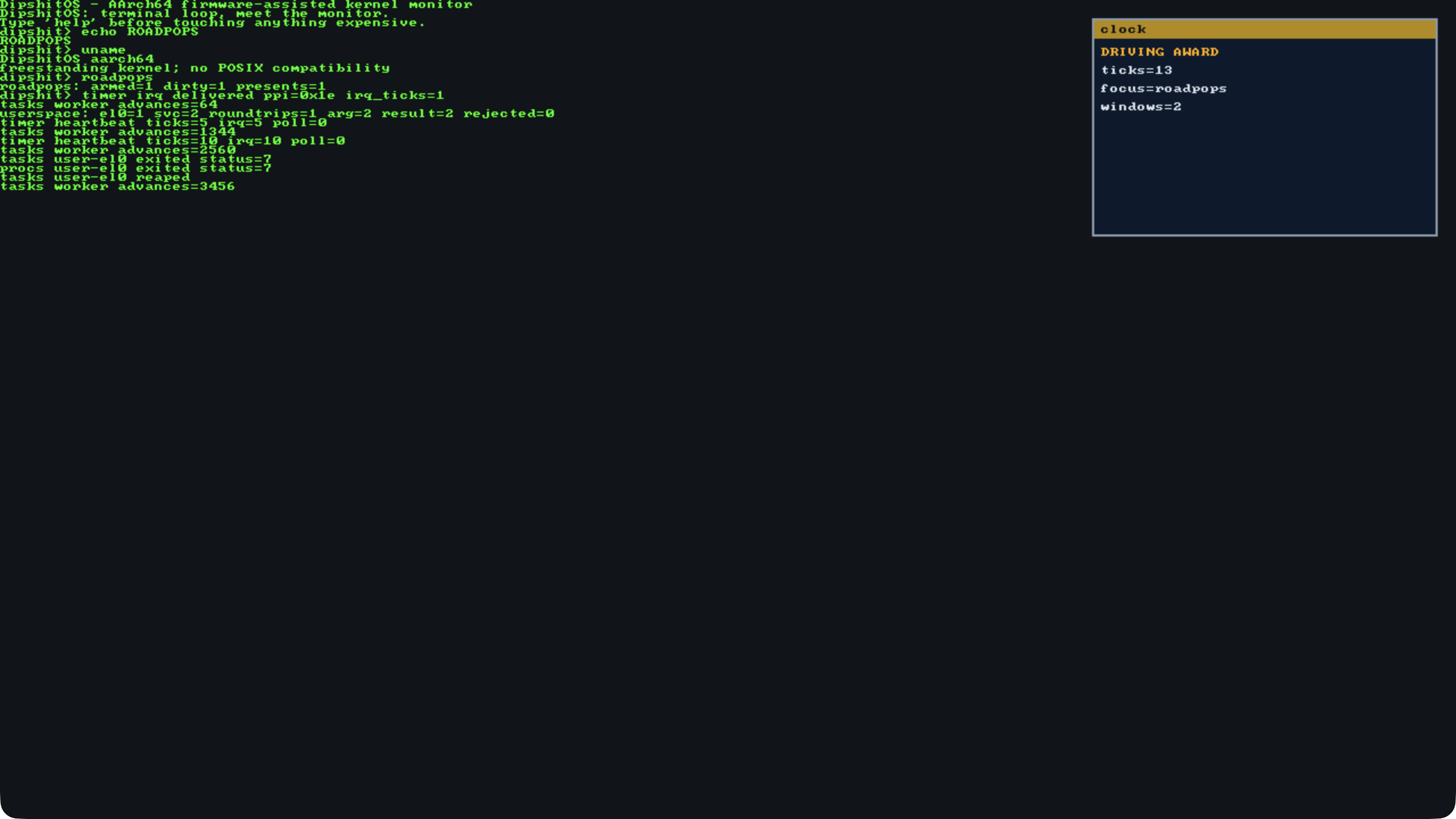
A live boot captured by the ScreenCaptureKit evidence path: Road Pops renders real echoed commands on screen while the Driving Award clock overlay composites in the top-right corner.
What it runs on
- Host: Apple silicon, macOS 27 or newer, Apple's Virtualization.framework.
- Guest: AArch64, freestanding Zig (pinned Zig 0.16.0), no libc.
- Not supported: Linux, Unix, QEMU, x86, any other emulator. There is deliberately no QEMU path.
Start here
- Getting started — build it, run it, what you need.
- Architecture — how the kernel and its subsystems fit together.
- Current capabilities — what actually works today, subsystem by subsystem.
- Roadmap & status — what has landed and what comes next.
- Project names & lore — what "Road Pops" and "Driving Award" mean.
- Evidence & testing — how a claimed feature is proven to work.
Who this is for
Someone who looks at an operating system called DipshitOS and still wants to know how the MMU handoff works, how the compositor repaints, or how a DHCP lease is renewed — and who appreciates that the answer comes with a gate and a claim number instead of a screenshot and a shrug.